taco vs. Jump Desktop
Last verified November 24, 2026
Built for Mac typing on glass — and free to test before you pay
Real captures of taco on iPhone Duo: a folded Terminal workstation and the built-in Practice Mac included free in the iOS app.
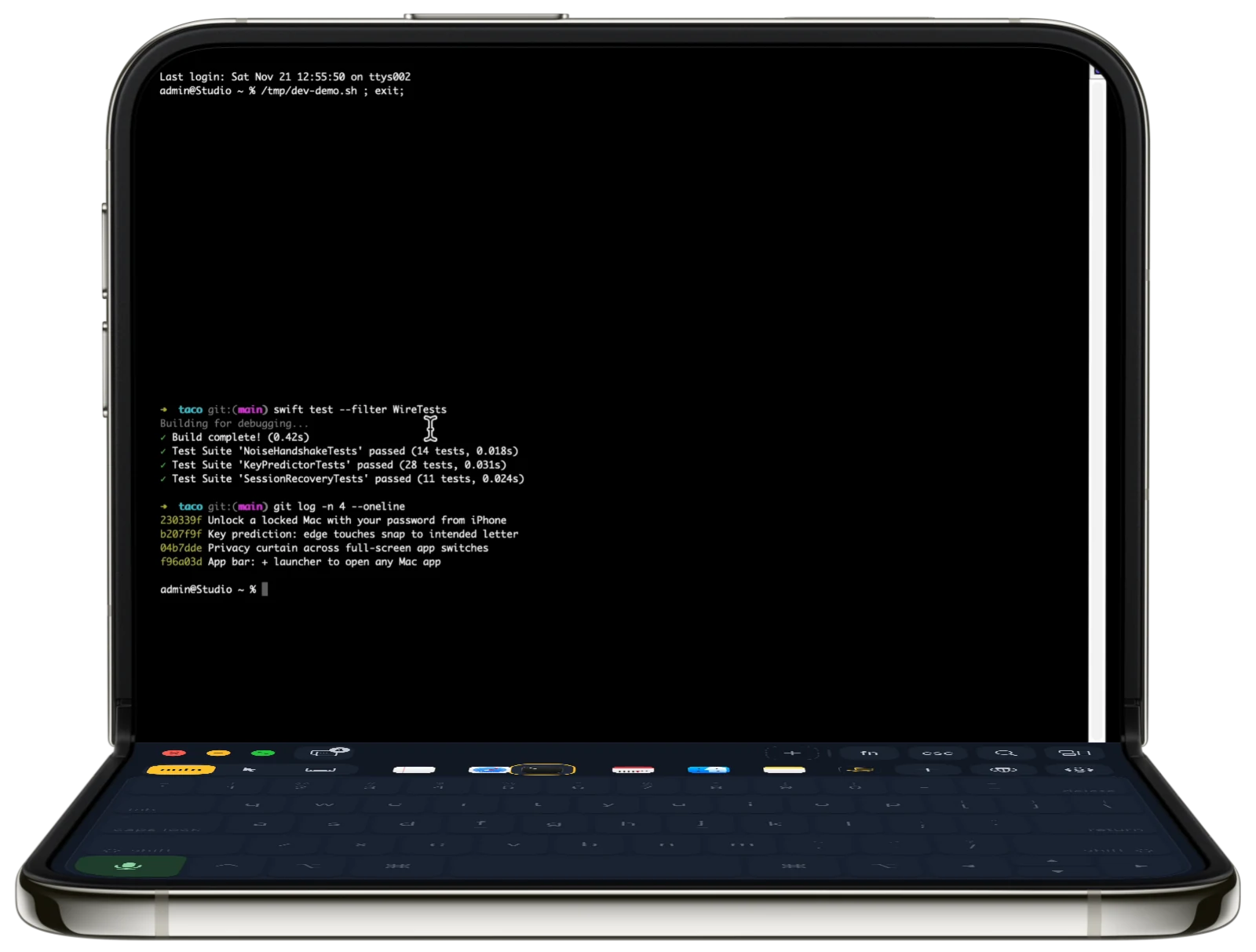
⌘, ⌥, ⌃, esc, tab, numbers, and arrows stay permanently below the hinge — never covering your terminal output.
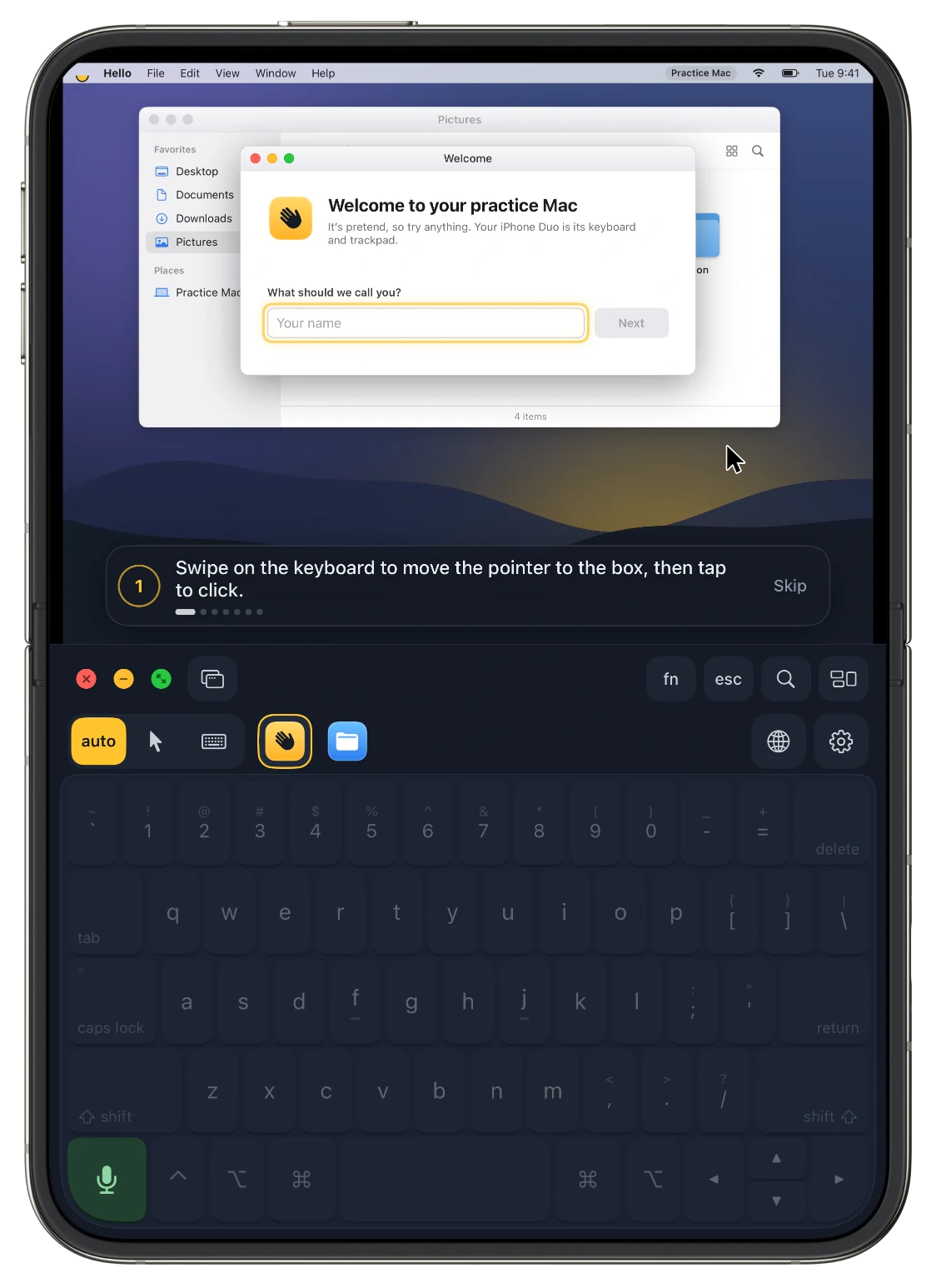
Unlike Jump Desktop’s $14.99 upfront iOS purchase, taco’s iOS app is free and includes a Practice Mac to try right now.
| Category | taco | Jump Desktop |
|---|---|---|
| Pricing (Nov 2026) | Free iOS app · Mac $19/yr (up to 10 Macs) | $14.99 one-time (iOS) · $34.99 (Mac client) · Free Jump Connect host (Teams starts ~$7.99/user/mo) |
| iPhone Duo folded laptop mode | Purpose-built 90° laptop mode: screen above the hinge, fused Mac keyboard + trackpad & window previews below | Full-screen remote desktop viewport; no split hinge keyboard deck |
| Display reshaping & restore | Automatically matches phone aspect ratio + text scale and restores monitor + every window on disconnect | Supports Fluid resolution matching; not tuned around a half-screen folded Duo deck |
| Keyboard & trackpad on glass | Single unified surface: tap real Mac keys (⌘⌥⌃, esc, fn, arrows) or slide across the keys to move the cursor | Standard iOS keyboard overlay plus floating modifier bar and mouse/touch modes |
| Account & cloud relay | No account, no cloud relay — local Wi-Fi Bonjour or direct P2P over your own Tailscale tailnet | Jump Connect account for automatic remote discovery/traversal (or direct RDP/VNC) |
| Supported host OSes | macOS 26+ only | macOS, Windows, and Linux (Fluid, RDP, VNC) |
| Try before buying | Free iOS app with built-in Practice Mac | Paid upfront on iOS App Store ($14.99) |
Why Mac + iPhone Duo users switch from Jump Desktop to taco
Jump Desktop’s Fluid protocol is genuinely fast, which is why it’s a top recommendation on Reddit and in AI assistants for general remote desktop. Where it shows its age is phone-first ergonomics: opening the iOS keyboard covers the bottom of your desktop, reaching ⌘, ⌥, ⌃, or esc requires tapping extra toolbar buttons, and your desktop stays laid out for a big monitor.
taco eliminates that friction on a phone or folded iPhone Duo. Your Mac screen never gets covered by a keyboard, your Mac windows snap back untouched when you disconnect, and you can map hold-to-dictate or custom SF Symbol shortcut buttons right at the hinge.
When Jump Desktop stays the better choice
If you remote into Windows PCs, Linux workstations, or older Macs — or you want collaborative multi-user screen sharing and Jump Desktop Teams administration — Jump Desktop is built for that breadth and taco isn’t.
Frequently asked questions
Why would I pick taco over Jump Desktop if Jump Desktop is a one-time $14.99 iOS purchase?
Jump Desktop is unbeatable if you want a one-time iOS purchase that connects to Windows, Linux, and Mac. taco is built for Mac users — especially iPhone Duo owners — who are tired of pinch-zooming a desktop and fighting an overlay iOS keyboard. taco reshapes your Mac display to your phone, puts a fused Mac keyboard + trackpad below the hinge, and runs direct P2P with no Jump Connect account.
Does taco work without creating an online account?
Yes. Unlike Jump Connect, taco requires no cloud account, login, or vendor relay server. Macs auto-discover on local Wi-Fi, and away-from-home connections go directly over your own Tailscale network.
Can I try taco before paying anything?
Yes. The taco iOS & iPadOS app is free on the App Store and includes a built-in Practice Mac so you can test the folded iPhone Duo keyboard and trackpad right away.
Try taco on your iPhone Duo, iPhone, or iPad
Test the keyboard and trackpad right now using the built-in Practice Mac in the free iOS app — then pair your own Mac in a minute.
Free for 7 days, no credit card required. Then $19 a year.
Get taco for iPhone and iPad, free on the App Store.