Turn your folded iPhone Duo into a tiny MacBook.
Last verified November 27, 2026 · Built for iPhone Duo (iOS 27.1+) & macOS 26+
Free for 7 days, no credit card required. Then $19 a year. Free iPhone & iPad app includes an interactive Practice Mac.
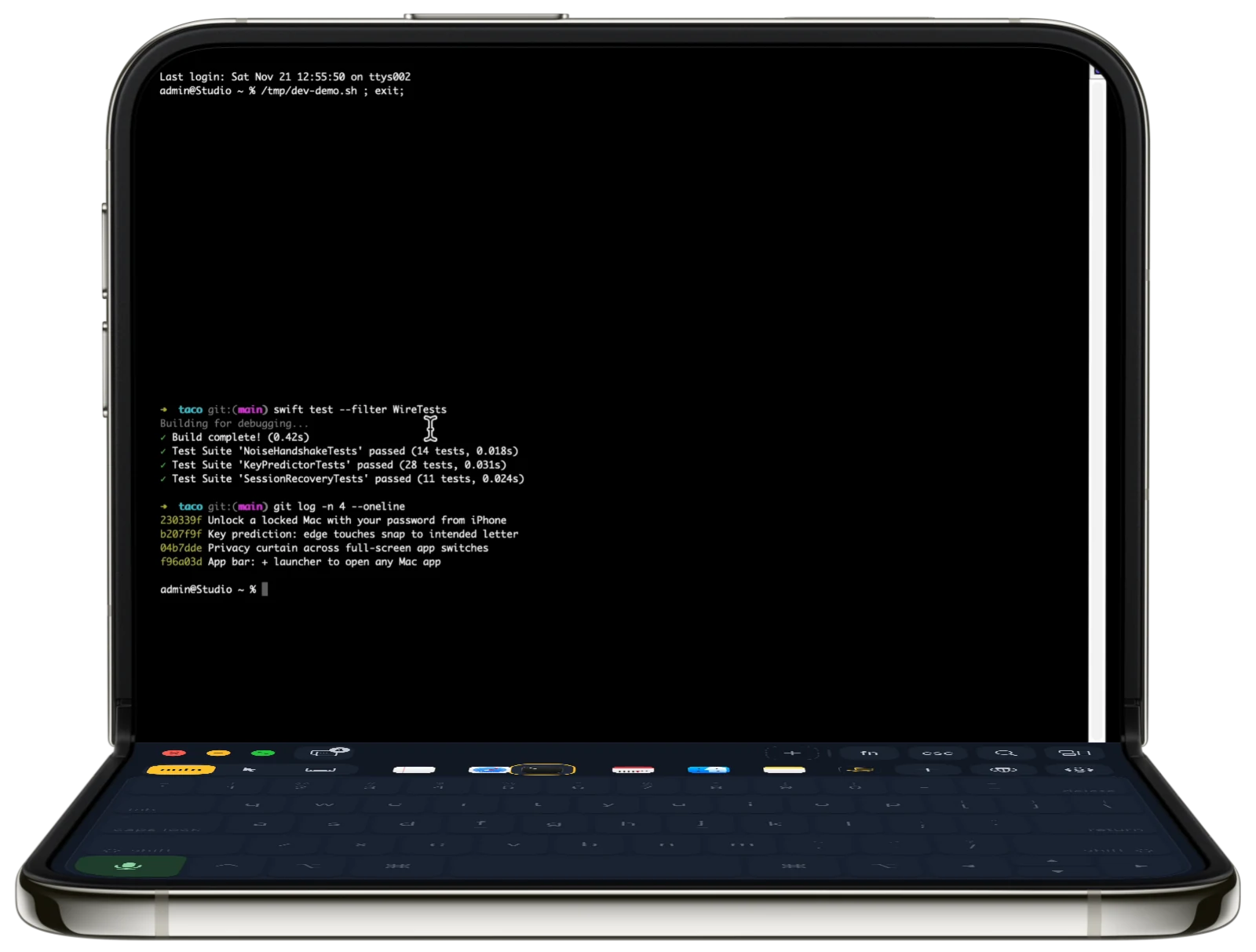
Folded laptop mode · Real macOS
Built for the hinge, not ported from an iPad canvas.
When you open a traditional remote desktop app on an iPhone Duo, your 16:9 or ultrawide monitor shrinks into a postage stamp, and the standard iOS keyboard covers half your view without real Mac modifier keys.
taco treats the folded Duo as one cohesive Mac workstation: your Mac display reshapes cleanly above the fold, your fingers rest on Mac keys and trackpad below, and every desk window snaps back untouched when you close the session.
Real Mac apps on iPhone Duo — every detail up close
All captures below are real taco sessions running inside Apple’s iPhone Duo display geometry — no simulated mockups.
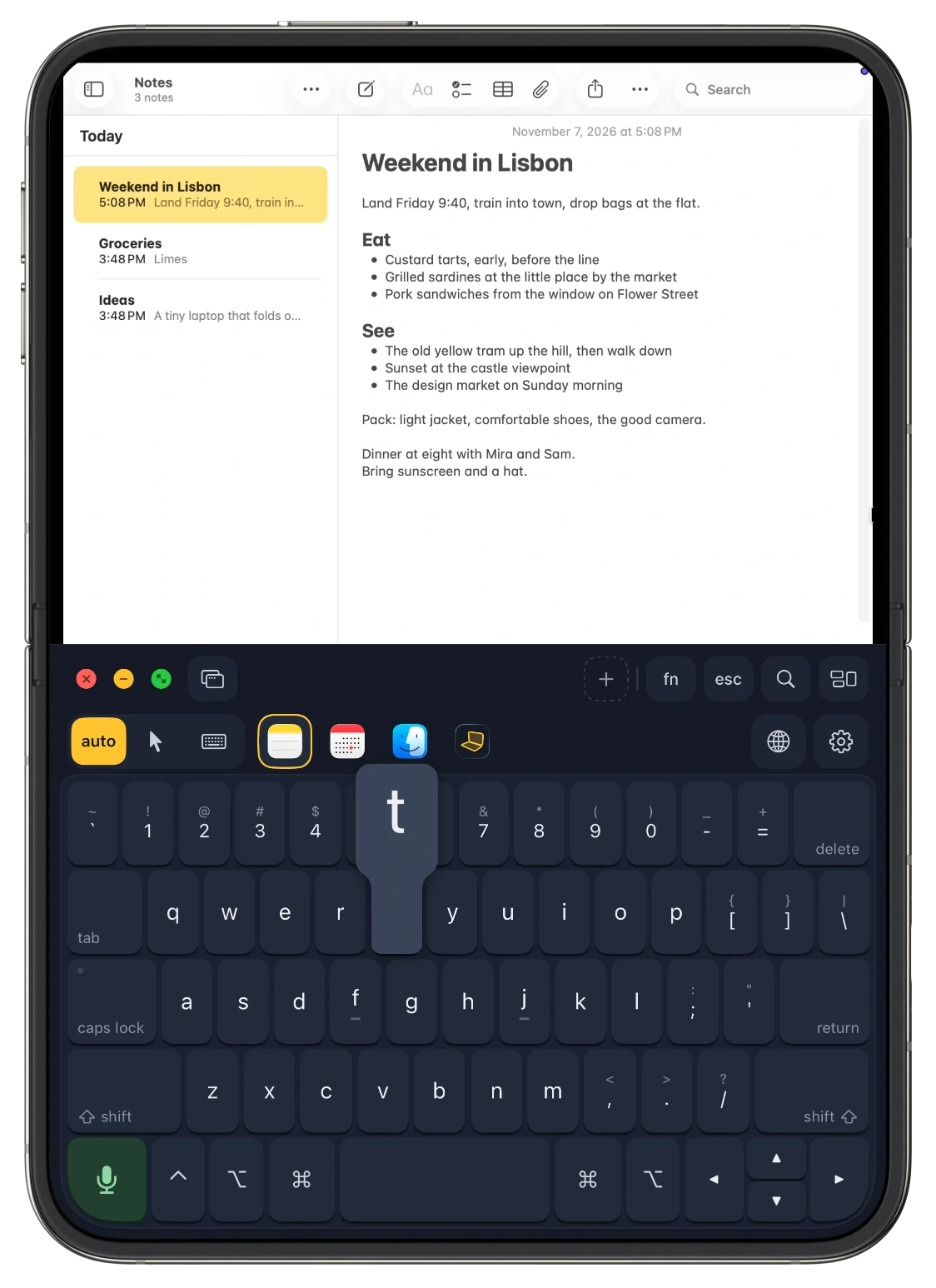
Full number row, ⌘ ⌥ ⌃, fn, esc, tab, and arrow keys sit right where your hands expect them, with key prediction and haptics.
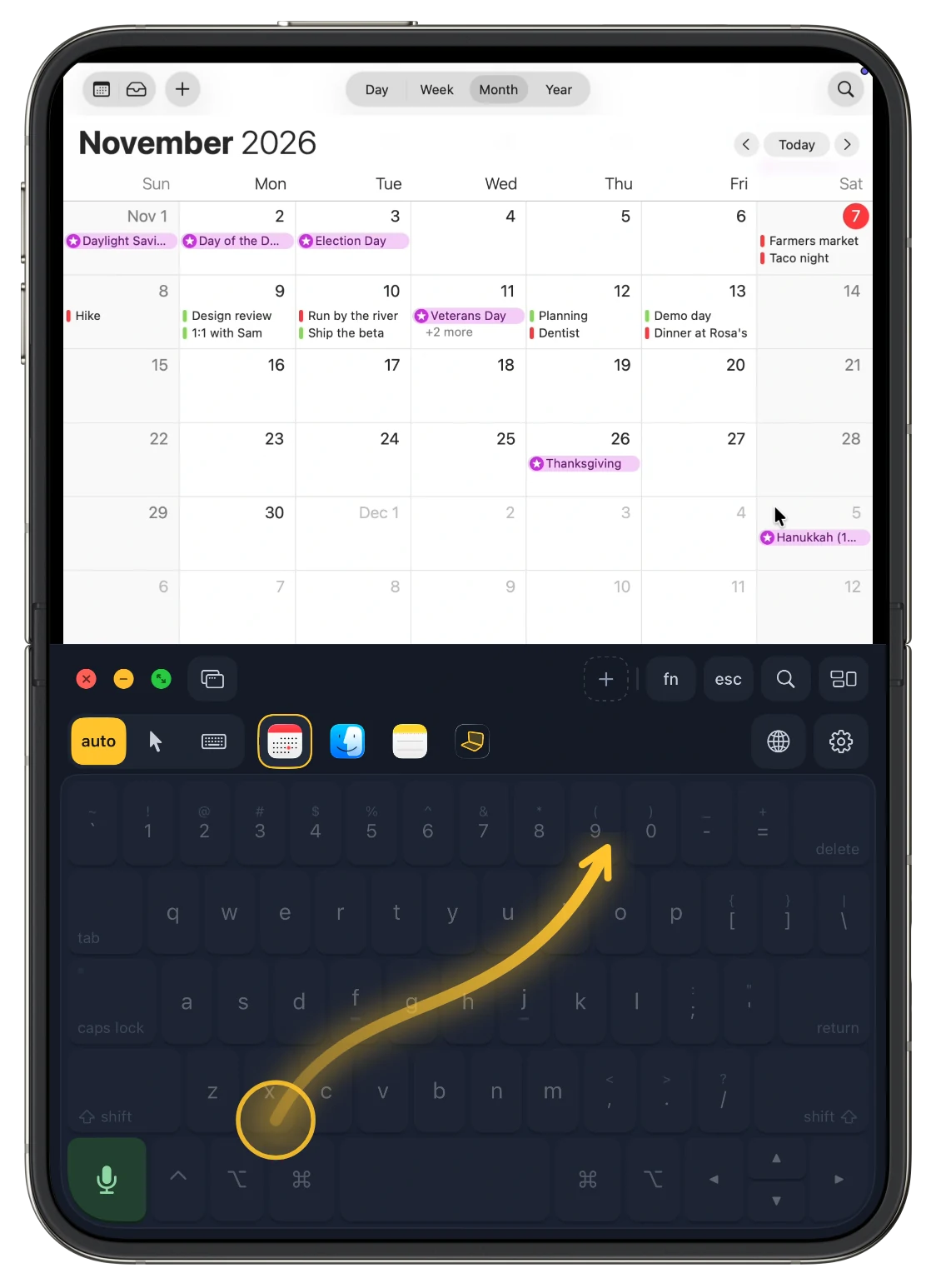
No mode switching: tap to type, or slide a finger across the same keys and they fade back into a trackpad with two-finger scroll and right-click.
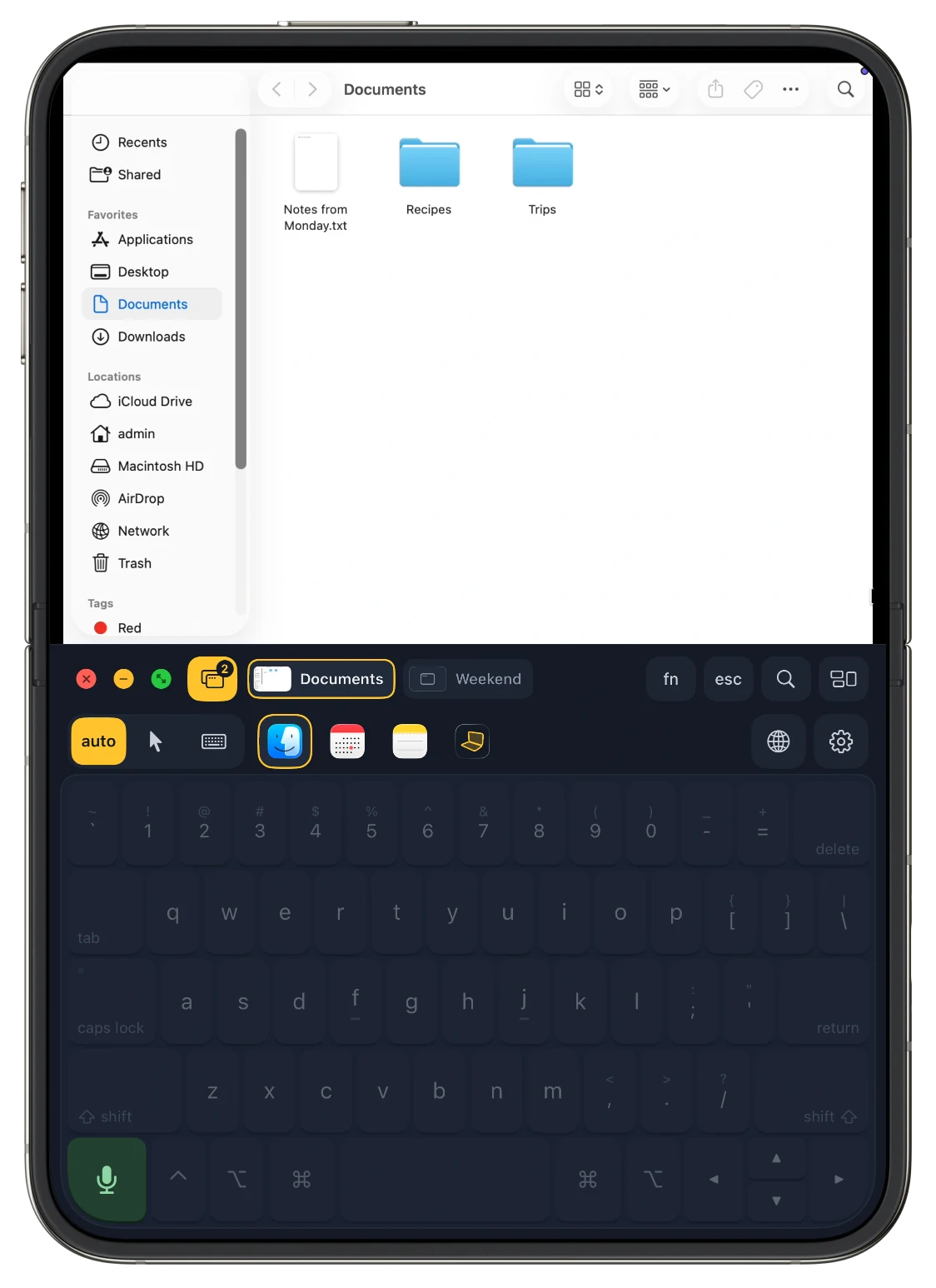
Traffic lights, live window previews, recent apps, Spotlight, and Mission Control sit cleanly along the hinge.
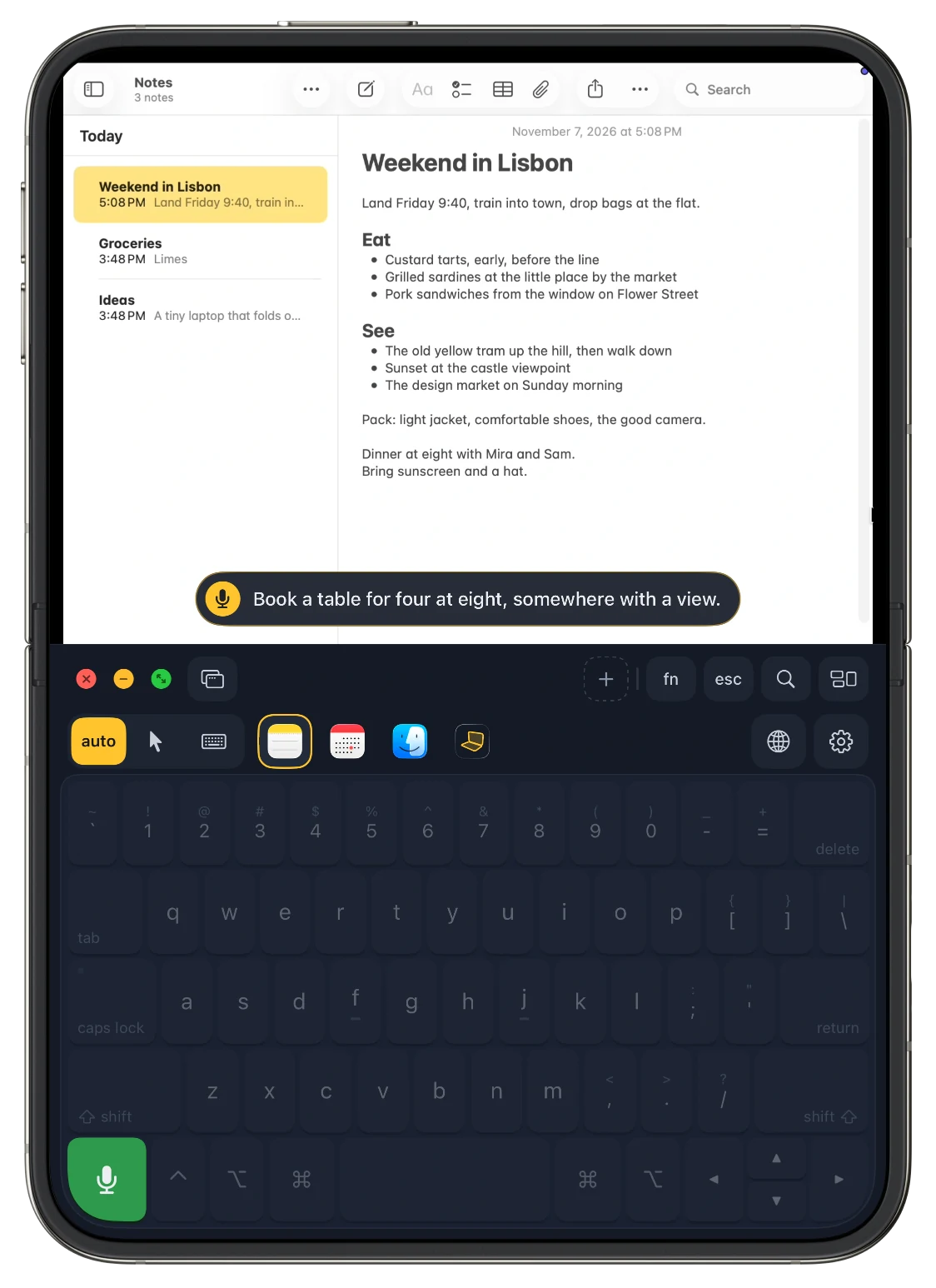
Uses Apple’s on-device speech recognition (never sent to a server) — or bind the green key to Wispr Flow, Superwhisper, or MacWhisper on your Mac.
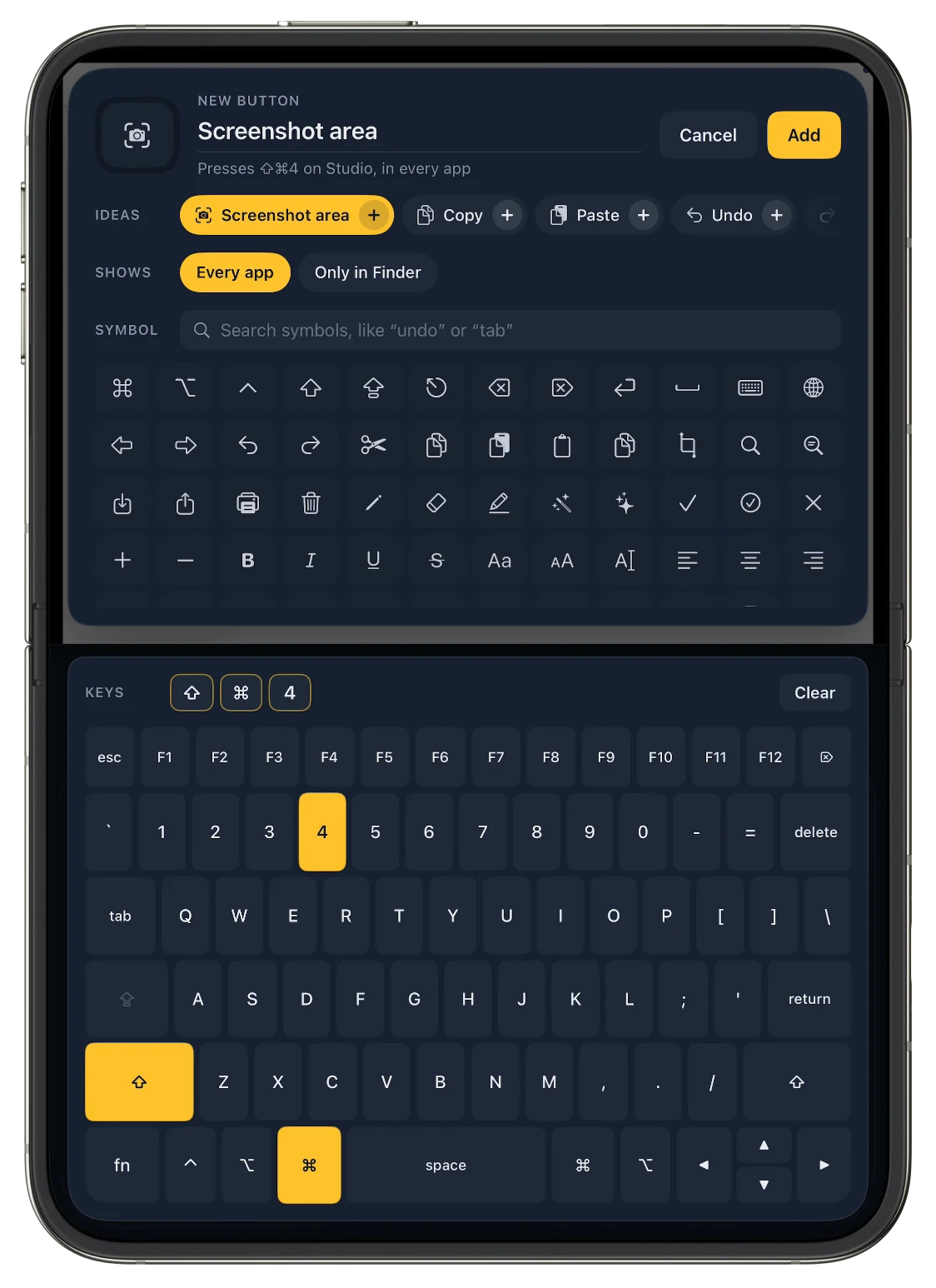
Bind any chord (like ⇧⌘4, build, or terminal splits) to an SF Symbol globally or only when Xcode, Figma, or Finder is in front.
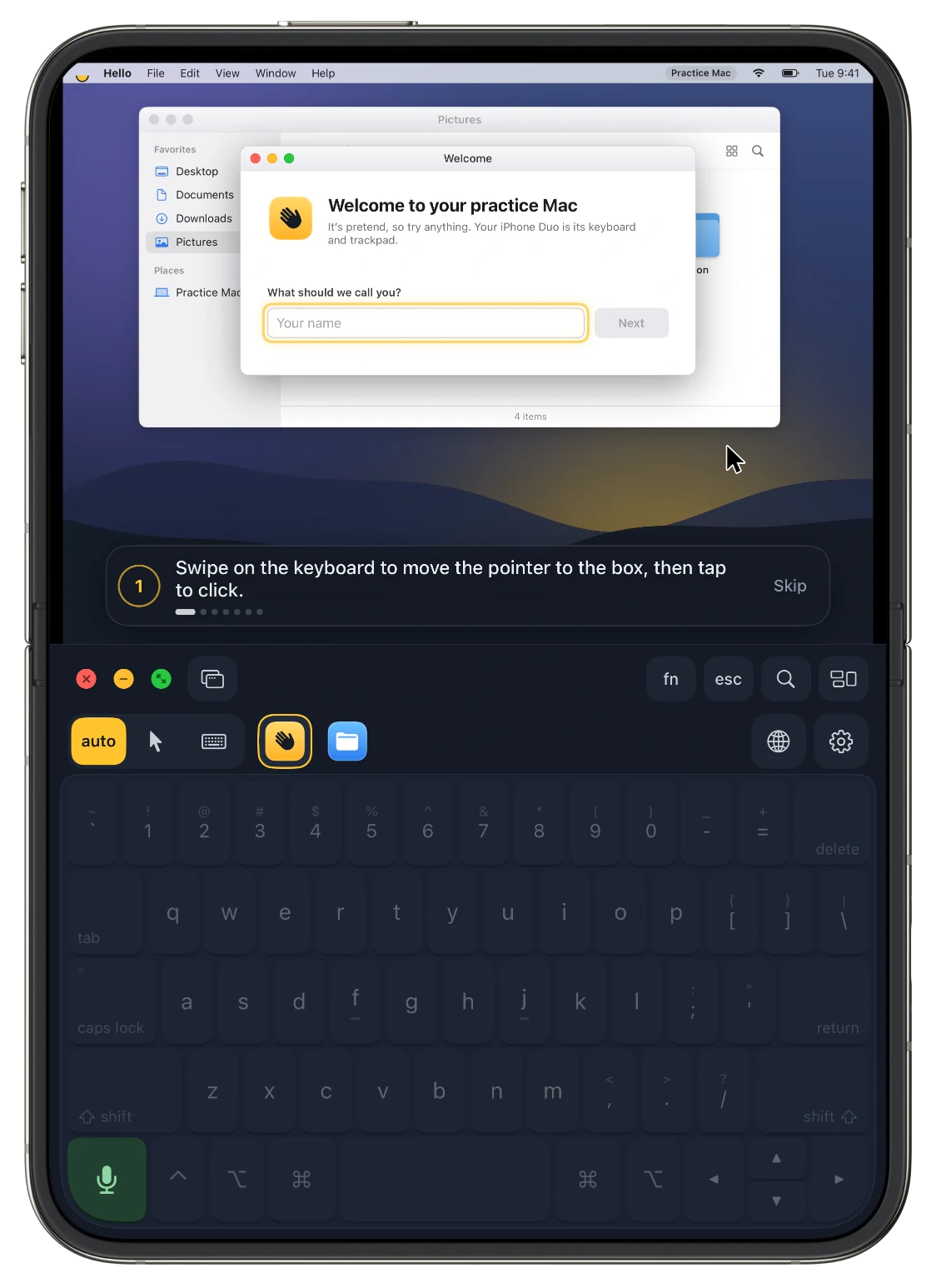
Fold your iPhone Duo and test the keyboard, trackpad swipe, and hinge bar in 15 seconds before installing anything on your Mac.
Folded everyday mode · Zero cloud
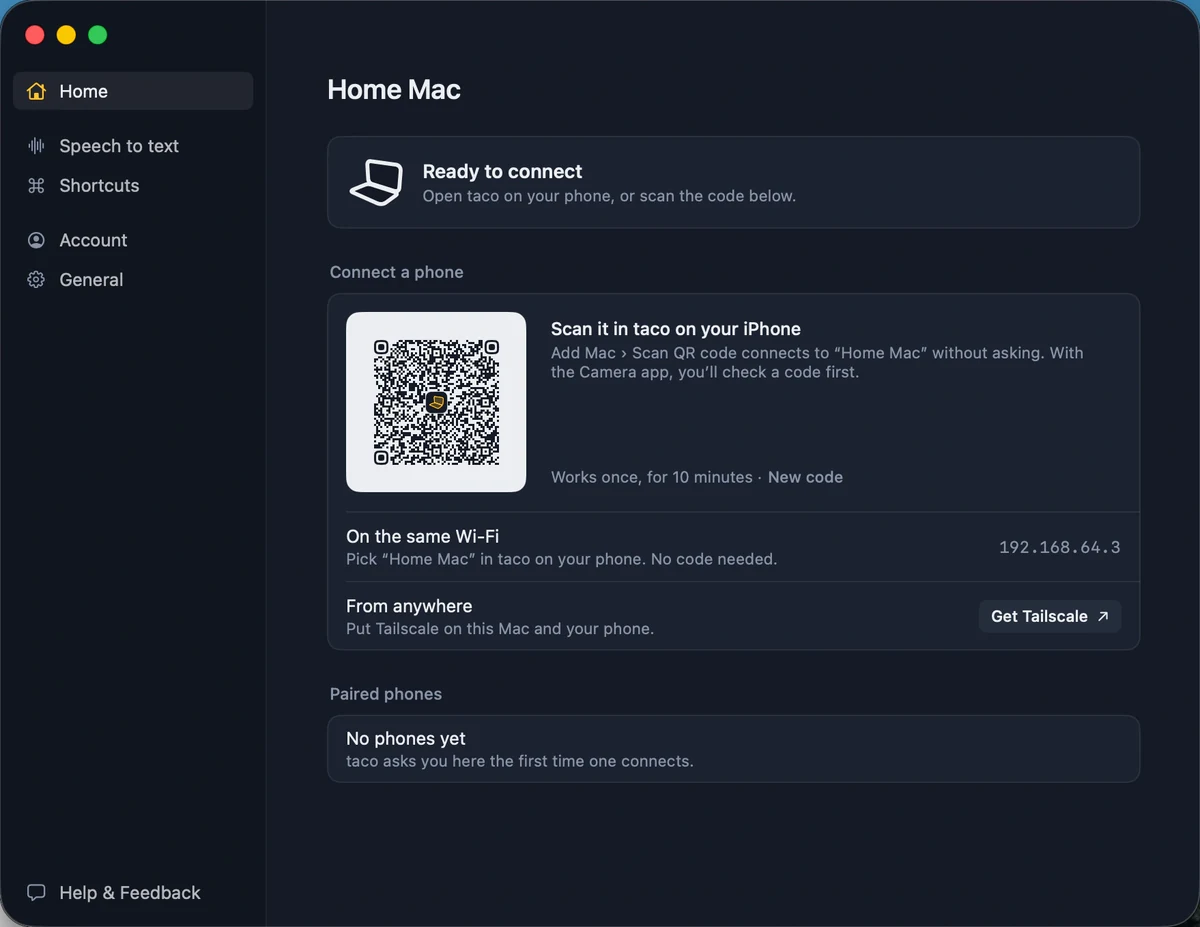
Pair in one scan. Reach your Mac on Wi-Fi or Tailscale.
On home Wi-Fi, your Mac appears automatically. Away from home, enable Tailscale on both devices and taco connects straight to your Mac over your private tailnet.
Every frame, keystroke, and lock-screen password travels strictly peer-to-peer under Noise AES-256-GCM encryption — read the full breakdown on our security page.
Set up your iPhone Duo in 3 steps
Install taco on your Mac
Download taco for Mac (macOS 26 or later). Grant Screen Recording and Accessibility once — taco lives quietly in your menu bar.
Install taco on your iPhone Duo
Get taco for iPhone and iPad free on the App Store. You can even fold your Duo and test the built-in Practice Mac before connecting your own.
Fold at 90° and tap your Mac
Pair with a one-scan QR code or pick your Mac on local Wi-Fi. Away from home, turn on Tailscale on both devices to connect direct peer-to-peer.
Frequently asked questions
Does taco reshape my Mac’s 4K or Studio Display for the iPhone Duo’s top half?
Yes. While connected, taco matches your Mac display’s aspect ratio to the top half of your folded iPhone Duo, bumps readability scale (adjustable live from your phone), and stretches the active app to fill the viewport. When you disconnect — even if Wi-Fi drops — macOS restores your original resolution and taco puts every window right back where you left it.
How do the keyboard and trackpad fit below the iPhone Duo’s hinge?
taco fuses a real Mac keyboard layout (Command ⌘, Option ⌥, Control ⌃, Esc, Fn, full number row, and arrow keys) and a full-area trackpad into the same lower surface. Tap keys to type with edge-touch prediction and haptics; slide anywhere across the keys and they fade back into a trackpad. Two fingers scroll or right-click, touch-hold-move drags, and pinching zooms up to 5×.
Can I use my Mac from my iPhone Duo away from home or over 5G?
Yes. On home Wi-Fi your Mac appears automatically. Anywhere else — coffee shop, train, airport, or 5G — turn on Tailscale on your Mac and iPhone Duo. taco connects directly over your own tailnet with end-to-end Noise encryption and zero cloud relay servers.
Can taco wake and unlock a locked Mac from my iPhone Duo?
Yes. taco can unlock a locked Mac remotely. Your Mac password travels directly from your iPhone Duo to your Mac over the Noise-encrypted peer-to-peer channel and is never stored, logged, or sent through any server.
What if I hold my iPhone Duo flat, closed, or switch to a regular iPhone or iPad?
taco adapts to any iPhone or iPad running iOS/iPadOS 27.1+. On a regular iPhone held upright or an iPad in portrait or landscape, you get the same top-screen, bottom-deck layout. Folding an iPhone Duo simply turns that split into a physical tabletop laptop pose.
Fold your iPhone Duo. Try the built-in Practice Mac free.
Download the free iOS app to test taco’s folded laptop keyboard, trackpad gestures, and hinge command bar right now — no Mac required to get a feel for it.
Free for 7 days, no credit card required. Then $19 a year.
Get taco for iPhone and iPad, free on the App Store.
Keep reading
taco vs. Yosei, Sill & Remio
Honest comparison of the 2026 iPhone Duo Mac remote apps.
Use your Mac away from home with Tailscale
Direct peer-to-peer remote access over 5G or café Wi-Fi with zero cloud relay.
Security & Noise P2P architecture
How Curve25519 key pinning, AES-256-GCM, and commit-and-reveal pairing work.