Security & peer-to-peer architecture
Last verified November 24, 2026 · Wire protocol v8 · Apple CryptoKit
How privacy looks in the apps
Cryptographic pairing and on-device speech recognition happen strictly between your own hardware — no cloud account, no relay server.
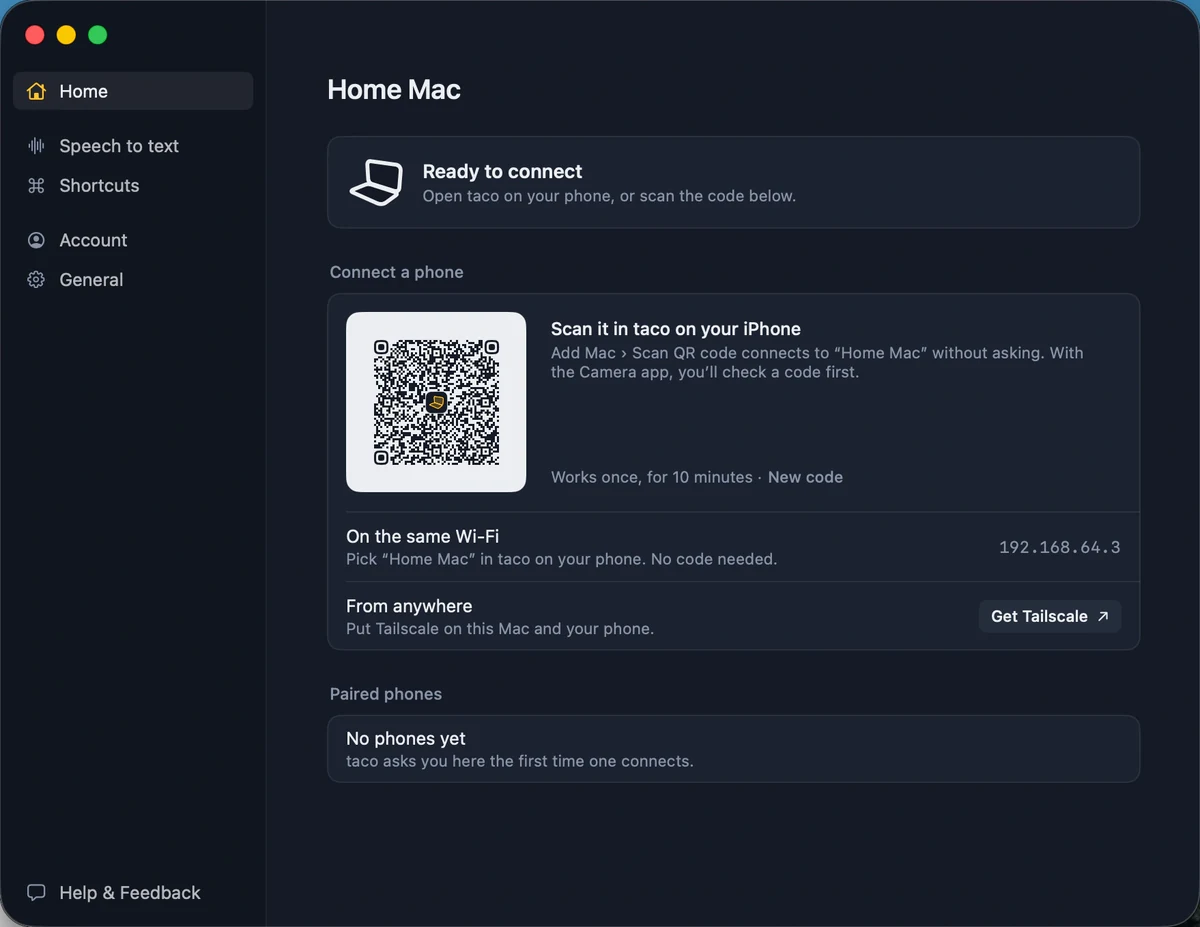
Scanned inside taco, your phone verifies the Mac’s Curve25519 identity before sending its own identity or one-time code.
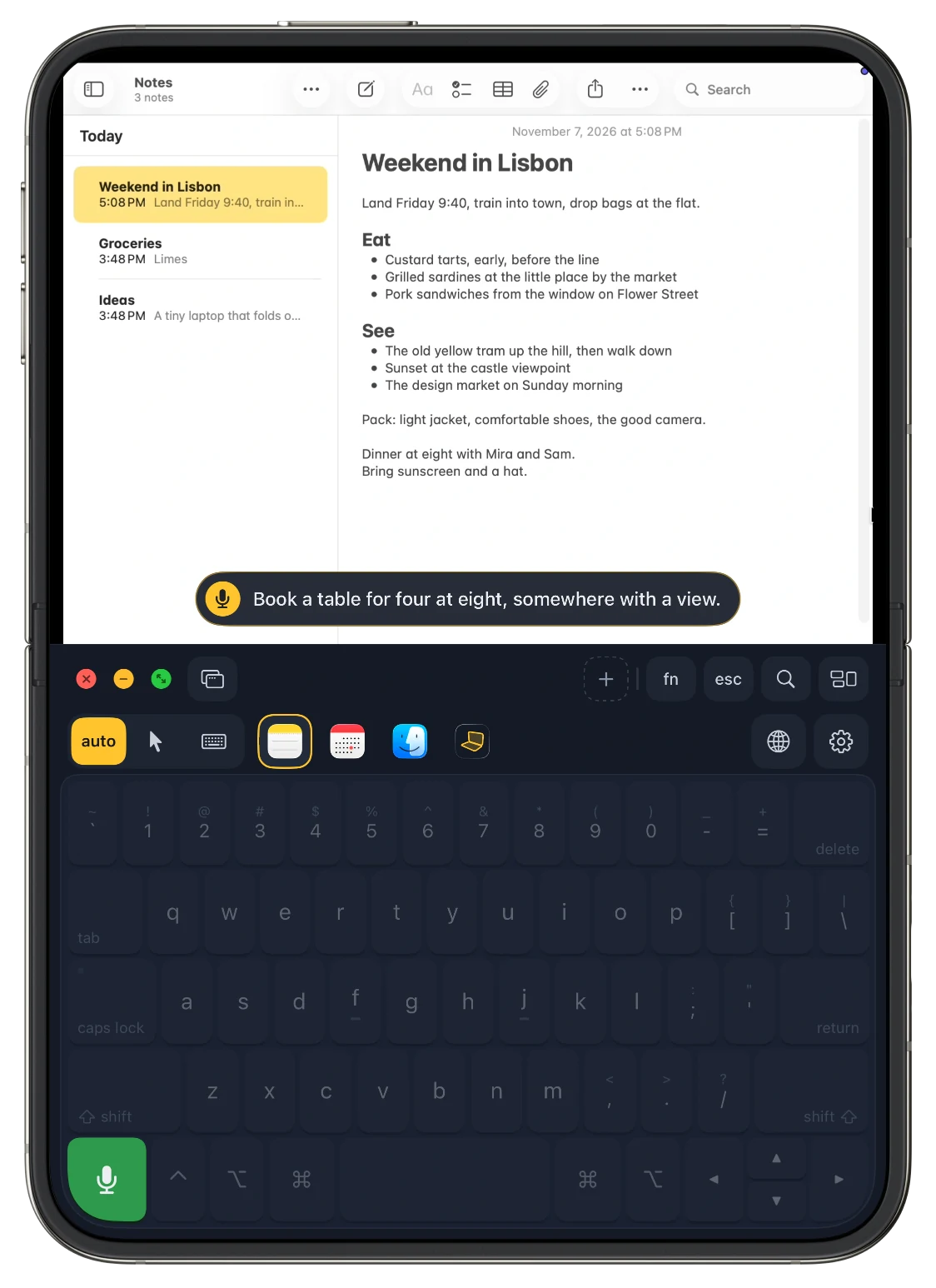
Built-in dictation enforces Apple’s requiresOnDeviceRecognition flag and refuses to listen rather than falling back to a server.
Cryptographic & transport specification
| Layer | Implementation in taco |
|---|---|
| Handshake & transport | Noise_XX_25519_AESGCM_SHA256 implemented with Apple CryptoKit (no custom crypto primitives). Verified against standard Noise test vectors in CI. Per-direction AES-256-GCM keys with an implicit 64-bit counter nonce reject replayed, reordered, or dropped packets immediately. |
| Device identity & pinning | Each Mac and iPhone generates a Curve25519 static key stored in Keychain (iOS AfterFirstUnlockThisDeviceOnly, non-syncing). Trust is strictly the peer’s pinned public key — spoofing a device ID cannot hijack or replace a session. |
| QR code pairing | The QR code shown on your Mac embeds a 128-bit SHA-256 fingerprint of the Mac’s public key alongside a one-time pairing code. When scanned inside taco, the phone verifies the Mac’s key in handshake message 2 before revealing its own identity or code. |
| Bonjour / manual pairing | Uses a commit-and-reveal six-digit verification code bound to the Noise handshake. Both sides commit to fresh nonces before revealing them; the Mac only reveals its half once an explicit approval prompt is counted (with Don’t Allow as the default action and strict rate limits). |
| Pre-authentication privacy | Tailscale addresses and detailed machine info are only sent after mutual authentication. Unpaired devices cannot enumerate your tailnet addresses or rename/re-pin a saved Mac. |
| On-device dictation | Built-in iPhone speech recognition enforces requiresOnDeviceRecognition = true and never falls back to cloud transcription. |
| Disconnect & restore safety | If a phone vanishes or Wi-Fi drops unexpectedly, the Mac detects the quiet session (~15 seconds), drops any privacy curtain, restores the original display resolution, and snaps every window back to its pre-session frame. |
Why hardware-accelerated AES-GCM adds almost zero latency
Every Mac and iPhone taco runs on has dedicated Apple silicon AES hardware acceleration. On an Apple M1 Max, sealing a typical 10 KB screen frame on the Mac takes roughly 8 µs and opening it on the phone takes roughly 7 µs (~0.05% of a single CPU core at 60 fps). Even a large 500 KB key frame seals in ~189 µs — well under a millisecond against a 16.7 ms frame budget — and an entire Noise XX handshake completes in ~0.6 ms.
Diagnostics & privacy hygiene
Both apps mask personal names, host names, *.ts.net Tailscale names, .local addresses, email addresses, and home directory paths before writing a log line. Live screen contents, keystrokes, clipboard data, and window titles are never logged. On iOS, automatic crash and error reports are off until you opt in, and feedback forms preview the exact log text and optional screenshot before sending.
For the full legal and operational breakdown of what reaches Float Tech (such as license validation or optional feedback), read our plain-English Privacy Policy.
Frequently asked questions
Does my Mac screen or anything I type ever pass through taco’s servers?
Never. taco connects directly peer-to-peer between your iPhone/iPad and your Mac over local Wi-Fi or your own Tailscale tailnet. There is no cloud relay server, no user account, and no way for Float Tech to see your screen, keystrokes, clipboard, unlock password, or voice.
What encryption protocol does taco use?
Every connection uses Noise_XX_25519_AESGCM_SHA256 implemented strictly with Apple CryptoKit: Curve25519 static keys stored in each device’s Keychain, ephemeral Diffie-Hellman key exchange on every session, and per-direction AES-256-GCM transport keys with implicit 64-bit counter nonces.
How does taco prevent man-in-the-middle attacks during first pairing?
Scanning the QR code inside taco verifies the Mac’s 128-bit SHA-256 key fingerprint in handshake message 2 before the phone sends its identity or one-time code. For Bonjour or manually typed connections, both devices use a commit-and-reveal six-digit verification code so an active relay cannot silently steer the codes to match.
Is voice dictation sent to the cloud?
taco’s built-in iPhone dictation enforces Apple’s requiresOnDeviceRecognition flag and refuses to listen rather than falling back to a cloud server. If you map the green mic key to a Mac dictation app like Wispr Flow or Superwhisper, taco only triggers that app’s shortcut on your Mac.
Try taco on your iPhone Duo, iPhone, or iPad
Test the keyboard and trackpad right now using the built-in Practice Mac in the free iOS app — then pair your own Mac in a minute.
Free for 7 days, no credit card required. Then $19 a year.
Get taco for iPhone and iPad, free on the App Store.