Access your Mac from anywhere on iPhone with Tailscale
Last verified November 24, 2026 · Works on iPhone Duo, iPhone & iPad over 5G or any Wi-Fi
Home Wi-Fi at your desk. Your own Tailscale network everywhere else.
Pair once at your Mac and reach Terminal, Xcode, or any Mac app from a café, train, or cellular 5G.
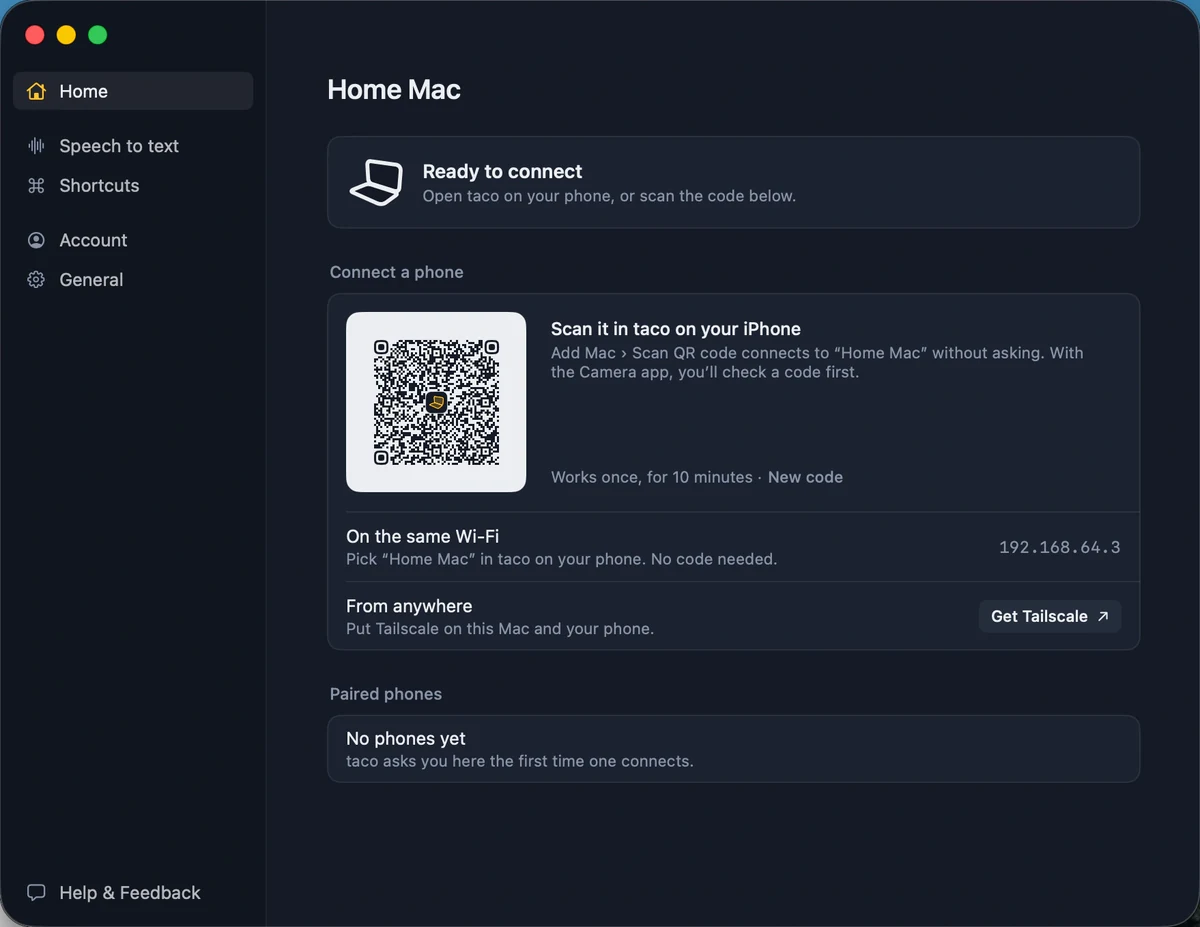
Once paired, taco remembers your Mac’s Tailscale address automatically — no router port forwarding or cloud login.
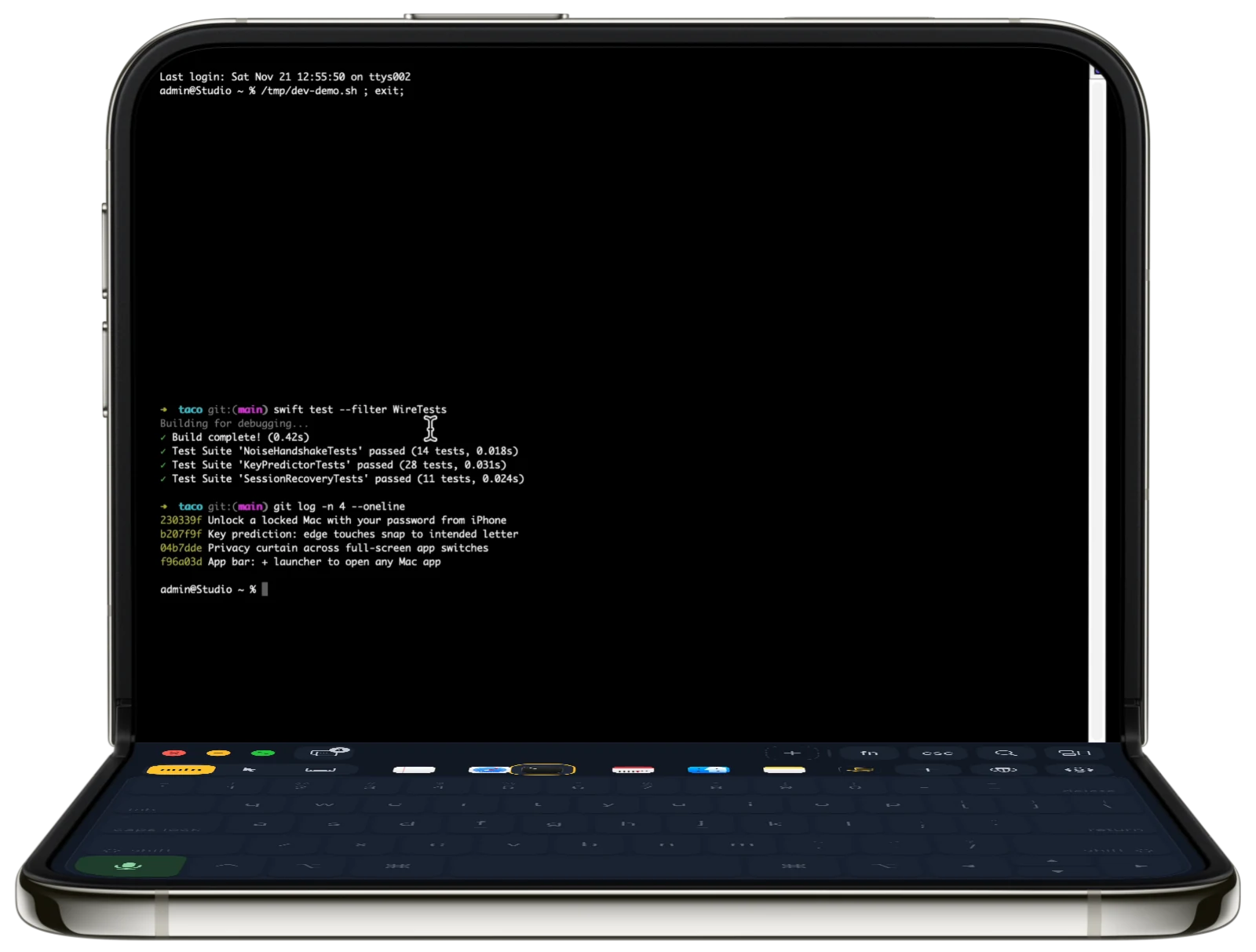
Run builds, check logs, or grab a file on your home Mac Studio or MacBook Pro directly from a folded iPhone Duo.
3-step Tailscale setup
Install Tailscale on your Mac and iPhone
Sign both devices into the same free personal Tailscale account. Tailscale gives each device a private WireGuard IP on your own tailnet with zero router port forwarding.
Pair taco once (QR or home Wi-Fi)
Open taco on your Mac and scan its QR code from taco on your iPhone or iPhone Duo. Once authenticated, taco remembers both your Mac’s local LAN address and its Tailscale address.
Connect from 5G, cafés, or travel Wi-Fi
Keep Tailscale toggled on when you leave home. Open taco on your iPhone Duo or iPhone and tap your Mac — taco routes straight over your private tailnet.
Double encryption, zero vendor relay
Even over Tailscale’s WireGuard tunnel, taco still performs its own Noise_XX_25519_AESGCM_SHA256 handshake with pinned Curve25519 keys. An unpaired device on your tailnet cannot even query your Mac’s name or Tailscale addresses — taco only shares Tailscale endpoints after mutual cryptographic authentication. Read the full cryptographic breakdown on our security & architecture page.
Tips for a reliable headless or always-ready Mac
- Mac mini & Mac Studio: In System Settings → Energy, turn on Prevent automatic sleeping when the display is off so Tailscale stays connected while your monitor sleeps.
- MacBook Pro & MacBook Air: Plugged into power with clamshell/awake settings enabled, your MacBook stays reachable on your tailnet while locked.
- Unlocking remotely: If your Mac is at the macOS lock screen when you connect, taco lets you enter your Mac password straight from your phone over the encrypted peer-to-peer channel. Your password is never stored or sent through any server.
- Headless Mac mini (no physical monitor)? Because taco creates and fits a display mode to your iPhone Duo or iPhone automatically, you don’t need to squint at a tiny fallback resolution — and if you do have a Studio Display or 4K monitor attached, taco restores it cleanly on disconnect.
Troubleshooting Tailscale connections
- Mac shows offline away from home: Confirm Tailscale is toggled on in the iOS Tailscale app and that your Mac is awake and signed into the same tailnet.
- Paired before installing Tailscale? Reconnect once on home Wi-Fi (or scan your Mac’s QR code / type its
100.x.y.zTailscale IP in taco’s Add Mac sheet) so taco saves the Tailscale address for that pinned Mac. - Corporate or hotel Wi-Fi blocking UDP? Tailscale automatically falls back to its own DERP relays when strict firewalls block direct UDP, and taco’s end-to-end Noise encryption keeps the stream opaque even over DERP.
Frequently asked questions
Why does taco use Tailscale instead of its own cloud relay server?
Running a cloud relay means your remote desktop provider sits in the middle of your connections and requires you to create an account. With Tailscale, your screen frames, keystrokes, and unlock passwords never touch Float Tech servers — they stay inside your own encrypted WireGuard tailnet, wrapped in a second layer of Noise_XX AES-256-GCM encryption.
Is Tailscale free for personal Mac and iPhone use?
Yes. Tailscale’s personal plan is free for individual users and covers up to 100 devices — plenty for your Macs, iPhone Duo, iPhone, and iPad.
Can taco wake and unlock my Mac if it’s asleep or locked at home?
Yes, as long as your Mac is powered on and reachable on your tailnet (for desktops like Mac mini/Mac Studio, enable Prevent automatic sleeping when the display is off in macOS Energy settings). taco can unlock a locked Mac remotely over the Noise-encrypted peer-to-peer connection without storing or logging your password.
Do I need to open ports on my home router?
No. Tailscale handles NAT traversal automatically using WireGuard so you never expose VNC or SSH ports to the public internet.
Try taco on your iPhone Duo, iPhone, or iPad
Test the keyboard and trackpad right now using the built-in Practice Mac in the free iOS app — then pair your own Mac in a minute.
Free for 7 days, no credit card required. Then $19 a year.
Get taco for iPhone and iPad, free on the App Store.