iPhone Duo Mac remote apps compared: taco vs. Yosei vs. Sill vs. Remio
Last verified November 27, 2026 · 4 iPhone Duo apps compared · Checked Nov 2026
Inside taco’s iPhone Duo workflow
Three real taco captures showing what sets taco’s daily typing and navigation feel apart on an iPhone Duo.
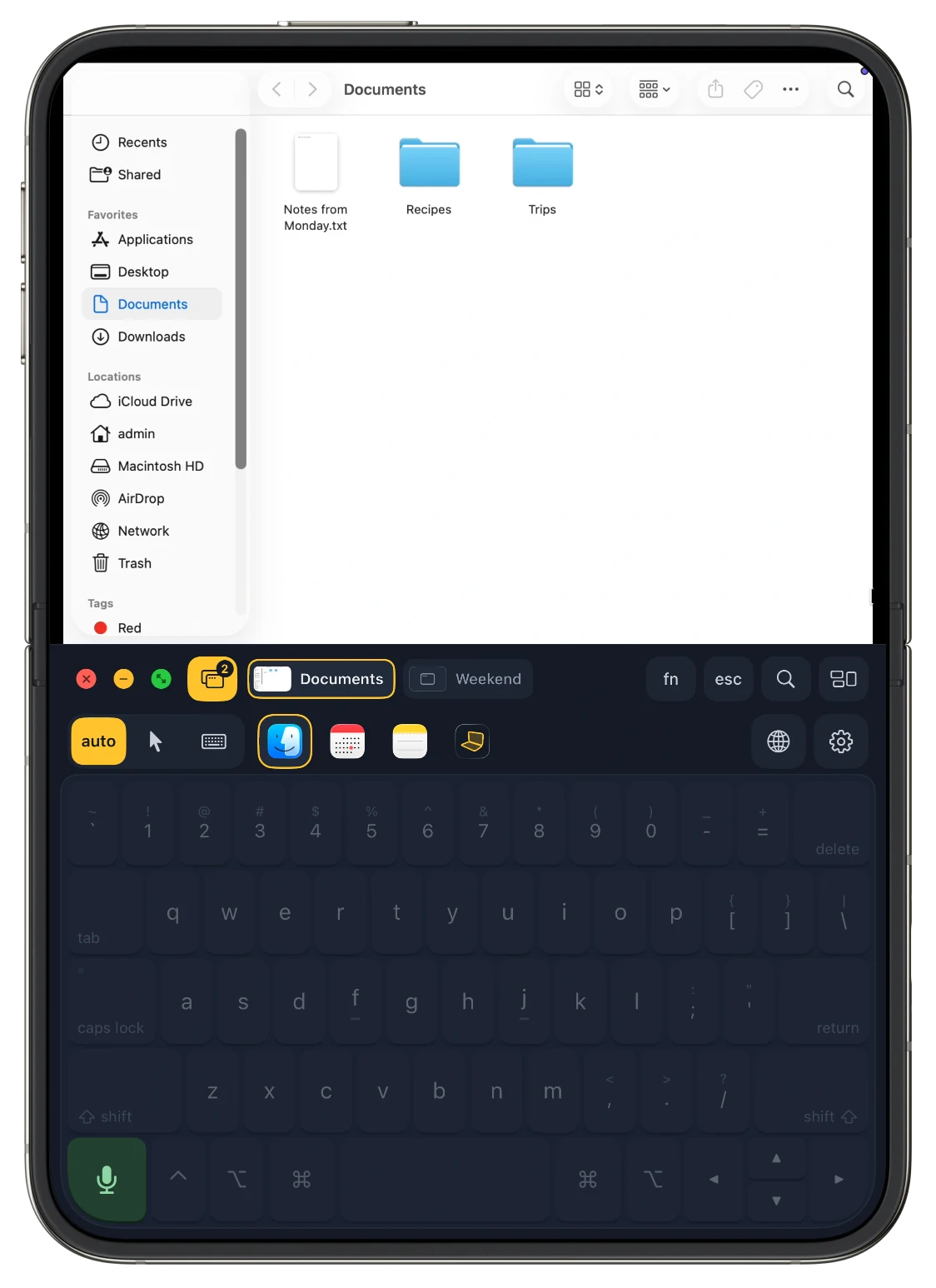
Jump between Mac windows, recent apps, Spotlight, and Mission Control right along the hinge.
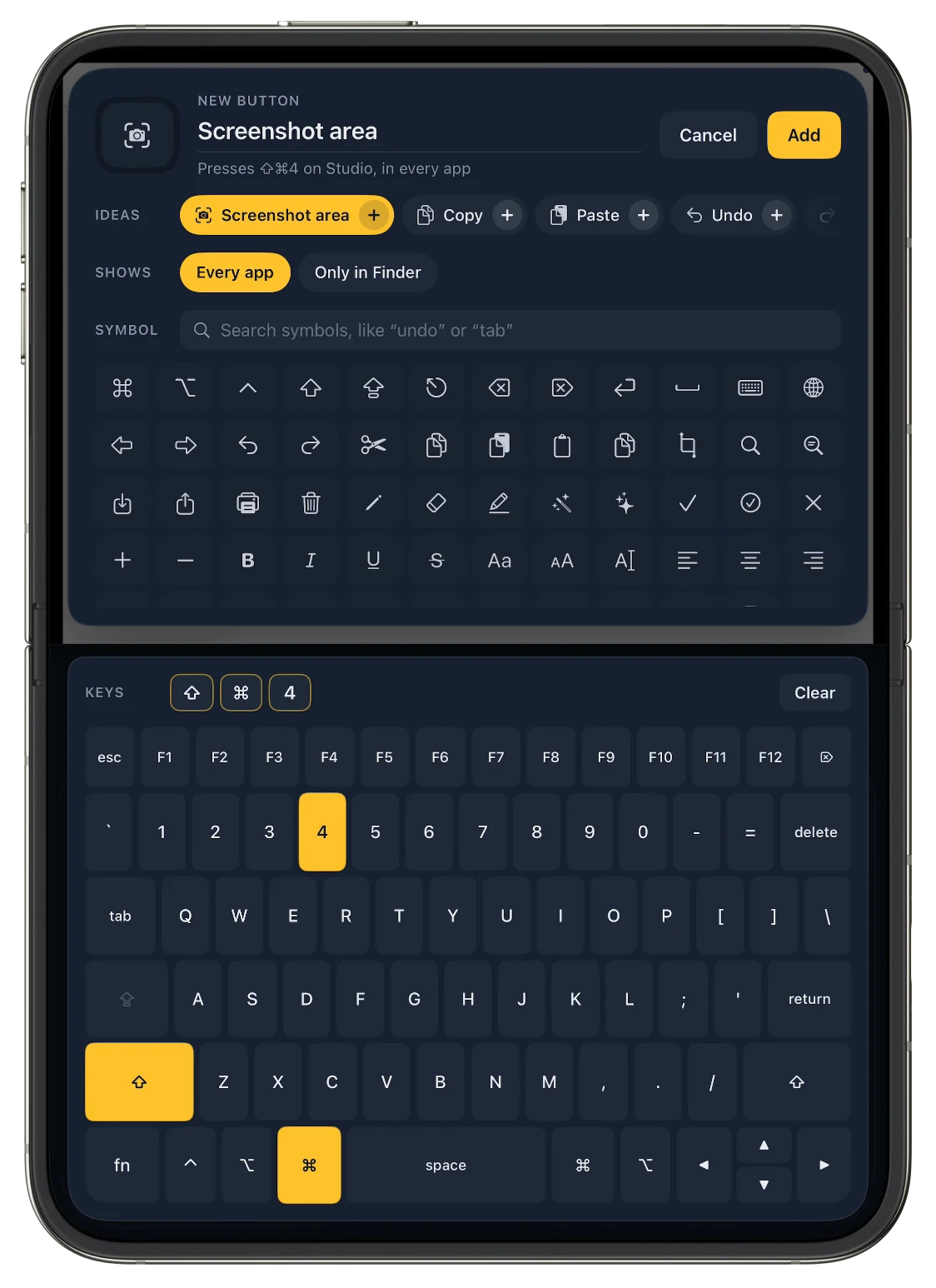
Bind any macOS chord globally or scoped only to Xcode, Terminal, Figma, or Finder.
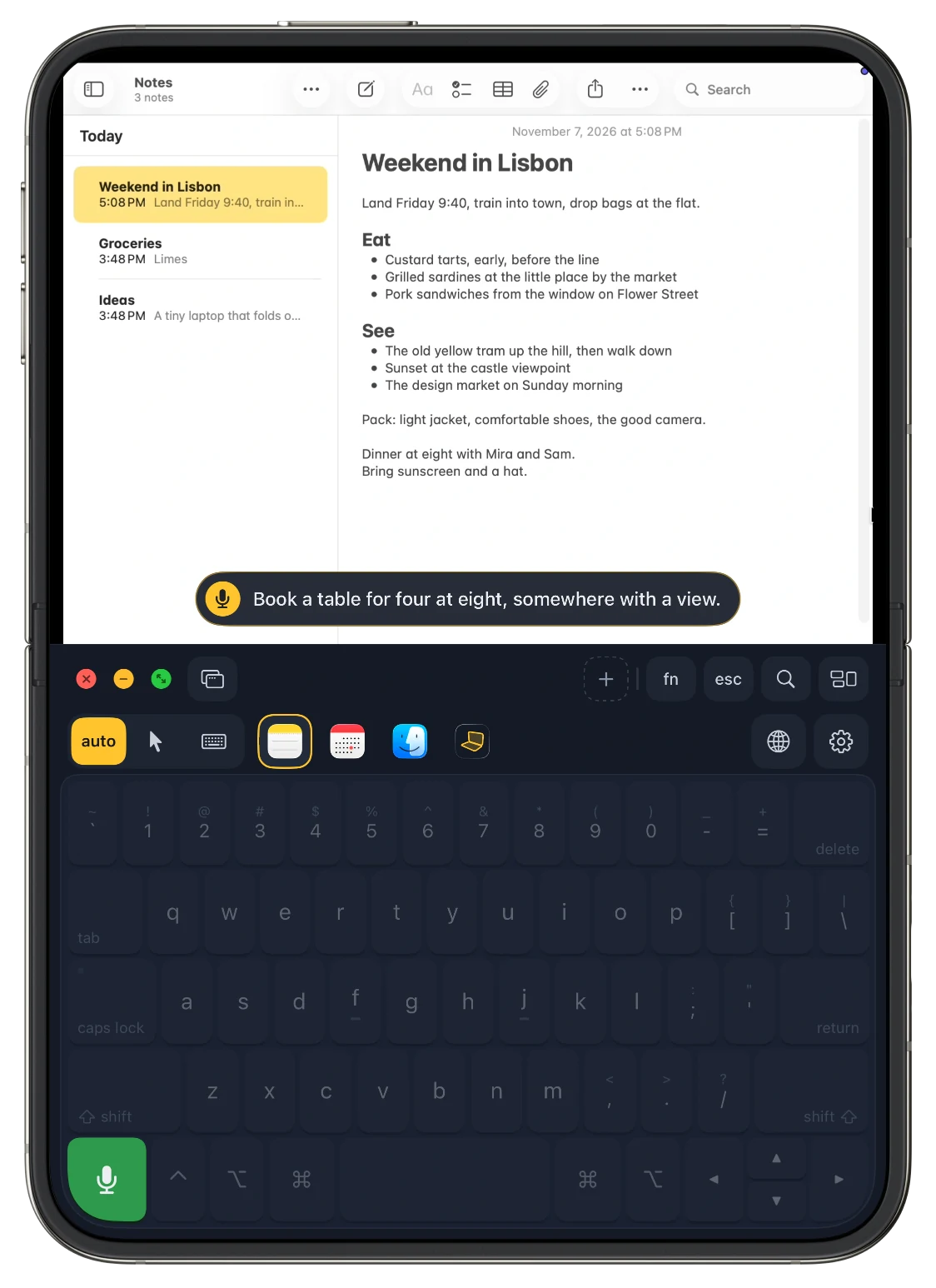
On-device iPhone speech recognition built in — or map the key to Wispr Flow or Superwhisper.
| Feature | taco | Yosei | Sill | Remio |
|---|---|---|---|---|
| Availability | iOS App Store + notarized Mac app | TestFlight beta + Mac download | iOS App Store + open-source Mac app | iOS App Store + cross-platform desktop |
| Pricing (Nov 2026) | Free iOS app · Mac $19/yr (up to 10 Macs) | Free during TestFlight beta (final price unannounced) | Free & open source (Apache 2.0) | Free tier · Remio Pro $1.99/mo (unlocks Duo laptop deck) |
| Display strategy | Auto-reshapes Mac display to Duo aspect ratio + readability scale; restores all windows on exit | Custom virtual display shaped to Duo cover, unfolded, or half-folded screen | Streams individual Mac windows or full desktop, adapting live across hinge states | Full desktop up to 6K 120 FPS & HDR; closed-lid MacBook support |
| Keyboard, trackpad & hinge bar | Fused Mac keyboard (⌘⌥⌃, esc, fn, arrows) + trackpad on one surface, edge-touch prediction, hinge live window previews & per-app shortcut buttons | Half-folded laptop mode with on-screen trackpad, keyboard & adaptive controls | Laptop layout with trackpad & key row; strong Apple Pencil hover/input support | Virtual laptop keyboard & trackpad + custom control boards on Pro tier |
| Voice dictation | Hold green mic key for on-device iPhone speech, or trigger Wispr Flow / Superwhisper / MacWhisper | Standard iOS / macOS input | Standard iOS / macOS input | Standard iOS / macOS input |
| Connection & privacy | Direct P2P (Noise_XX AES-256-GCM) over Wi-Fi or Tailscale; no cloud account | Direct USB-C, Wi-Fi, or Tailscale; no cloud server | Direct HEVC P2P over Wi-Fi, USB, or Tailscale; no account | End-to-end encrypted P2P (local & remote) across Mac, Windows & Linux |
| Signature strength | Mac-native typing ergonomics, hinge workflow bar, Practice Mac, Noise P2P | Zero-black-bar virtual display + MCP AI-agent screen monitoring | Single-window streaming + Apache 2.0 open source | Cross-platform hosts + 120 FPS HDR |
What makes taco distinct in day-to-day Duo use
Getting pixels onto the top half of an iPhone Duo is only half the problem. Once you actually try to run a build in Terminal, answer a message, or switch between three Finder windows from the couch, input speed decides whether you keep using the app or walk over to your laptop.
- No mode-switching tax: On taco’s deck, tapping types and sliding moves the cursor on the exact same surface. Your thumbs never have to hunt for a toggle between keyboard and mouse.
- Hinge-level Mac navigation: Live window previews, macOS traffic lights, recent apps, Spotlight, Mission Control, and custom app-scoped SF Symbol buttons sit right beneath the hinge.
- Crash-safe desk restoration: Reshaping your Mac display is only worth it if your Studio Display or multi-monitor window arrangement comes back intact — even when Wi-Fi drops unexpectedly.
- Try before installing on your Mac: taco’s free iOS app includes a built-in Practice Mac so you can fold your Duo and test the feel in 15 seconds.
Respect to the other Duo apps
It’s a genuinely exciting moment for foldable Apple software. If you want open-source single-window streaming, Sill is impressive. If you want MCP agent monitoring over USB-C, keep an eye on Yosei. If you split your time between Windows and Mac, Remio is worth testing alongside Jump Desktop and Screens 5 (which added Laptop Mode for iPhone Duo in v5.10.6). Other 2026 Mac & Duo options like Headroom, Remote Duo, and Astropad Workbench (which added Duo and terminal support in v1.4) are also pushing foldable Mac workflows forward.
Frequently asked questions
What is the main difference between taco, Yosei, Sill, and Remio on iPhone Duo?
All four support the iPhone Duo’s folded laptop layout, but each focuses on a different strength: taco centers on a fused Mac keyboard + trackpad, hinge command bar with live window previews and per-app shortcuts, dictation, and crash-safe display/window restoration; Sill is free and open source with unique single-window streaming; Yosei emphasizes custom virtual displays, USB-C, and MCP AI-agent monitoring in TestFlight beta; Remio is cross-platform (Mac, Windows, Linux) with high-FPS HDR and a $1.99/mo Pro tier for its Duo laptop deck.
Which iPhone Duo Mac apps are available on the App Store right now without TestFlight caps?
taco, Sill, and Remio are available directly on the iOS App Store. Yosei is currently distributed via TestFlight beta.
Which of these apps work completely without a cloud relay server?
taco, Sill, and Yosei all connect directly peer-to-peer over local Wi-Fi (or USB-C on Sill/Yosei) and over your own Tailscale network without requiring a user account or cloud relay.
Compare the feel yourself in 15 seconds
taco for iPhone & iPad is free on the App Store and includes an interactive Practice Mac — fold your iPhone Duo and feel the fused keyboard and trackpad right now.
Free for 7 days, no credit card required. Then $19 a year.
Get taco for iPhone and iPad, free on the App Store.
Keep reading
taco for iPhone Duo
Full walkthrough of folded laptop mode, display reshaping, and hinge controls.
All 9 Mac remote desktop apps (2026)
Including Screens 5, Jump Desktop, Chrome Remote Desktop, and RustDesk.
taco security & Noise protocol
Exact cryptography, key pinning, and measured Apple silicon overhead.